Clipboard Hijacking Crypto Malware: How It Hits Traders And Telegram Bot Users
Clipboard hijacking crypto malware swaps copied wallet addresses. Learn how it works, who it targets, and practical checks before you paste a deposit.
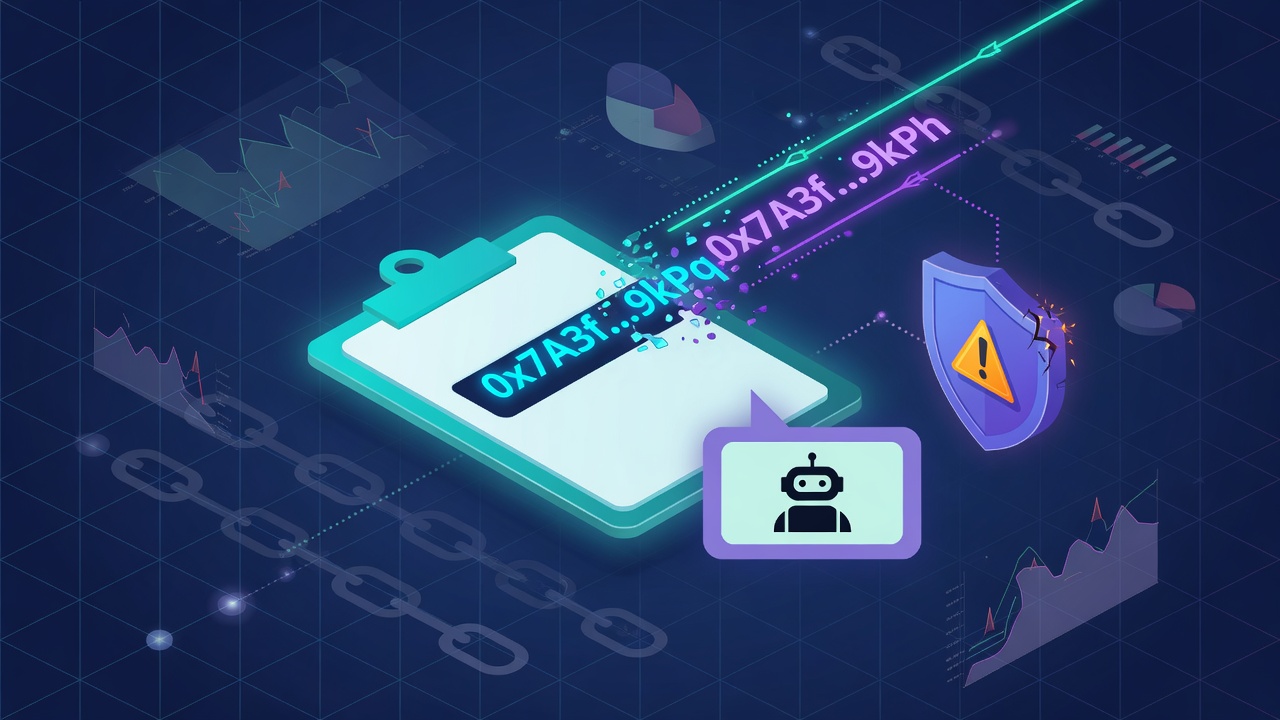
Clipboard hijacking crypto malware watches your device for copied wallet addresses, then silently swaps the address so your next paste sends funds to an attacker. It does not need to crack your exchange password or break Telegram itself. It only needs one rushed paste of a deposit, withdraw, or bot wallet address. This guide explains how the attack works, who it hits, and the practical checks retail traders should run before confirming a transfer. It is educational, not financial advice. Trading and on-chain tools can lose money. Nothing here guarantees returns or total safety.
If you fund or withdraw through tools such as Banana Gun, Trojan, BonkBot, or Maestro, treat every pasted address as untrusted until you re-check it. After basic hygiene, compare job fit on rankings and categories.
What Clipboard Hijacking Crypto Malware Actually Does
Clipboard hijackers (sometimes called clippers) sit on a phone, laptop, or desktop and monitor the system clipboard. When they detect something that looks like a crypto address (Bitcoin, Ethereum, Solana, and many others), they replace it with an attacker address that is often:
- Visually similar in the first and last characters so a quick glance looks "close enough."
- Valid format for the same chain so the wallet or exchange accepts the paste.
- Attacker-controlled, so the transfer is final once it confirms on-chain.
You still click send. The malware wins the moment between copy and paste.
| Stage | What you think happens | What the malware does |
|---|---|---|
| Copy | You copy a real bot deposit or exchange address | Clipper detects address-like text |
| Wait | Clipboard is still "your" data | Clipper overwrites with attacker address |
| Paste | You paste into exchange, wallet, or chat | Attacker address appears |
| Confirm | You may skim first/last chars | Lookalike address can pass a lazy check |
| Broadcast | Transfer is final on-chain | Recovery is usually impossible |
Why Telegram Bot Users Are High-Value Targets
Telegram trading bots force a lot of address copying. Common retail flows:
- Deposit into a bot wallet after the bot shows a receive address.
- Withdraw from a bot back to your own wallet or exchange.
- Share an address in chat with "support," a partner, or a signal room (high social-engineering risk even without malware).
- Move funds between CEX, self-custody, and bot wallets during setup.
Bots people often research in this lane include Trojan, BonkBot, BullX, Banana Gun, Unibot, and Bloom Bot. The product can be legitimate and the loss still happen on your device during paste. Malware is orthogonal to bot quality: a ranked tool does not immunize an infected phone.
How Infection Usually Starts (Retail Paths)
You rarely "download a virus called clipboard hijacker" on purpose. Typical paths:
Cracked Or "Free Premium" Trading Software
Fake installers for charting tools, "VIP signal dashboards," bot panels, or cracked Windows apps are classic clipper delivery. If the pitch is free access to paid features, assume hostile code until proven otherwise.
Malicious Browser Extensions
Extensions that claim to "track portfolio," "speed up MetaMask," or "auto-fill crypto addresses" can read and rewrite clipboard or page fields. Prefer official store listings, minimal permissions, and no random Telegram DM installs.
Fake Bot Sites And Update Packages
Clone domains, "update your bot client" packages, and airdrop claimers can drop malware before you ever open the real Telegram bot. Pair this risk with domain and handle hygiene (same family of mistakes as fake connect pages).
Phishing Attachments And "Support" Files
A file that claims to fix a failed withdraw, unlock a fee refund, or verify your account is a social attack. Real bots do not need you to run a mystery .exe, .apk, or macro document to "restore" funds.
Compromised Shared PCs And Cloud Desktops
Shared trading PCs, untrusted VPS images, and rented remote desktops expand blast radius. If many people install tools on the same machine, one bad binary can hijack every paste on that box.
Clipboard Hijack Vs Other Crypto Theft Paths
Retail users mix these up. Keep them separate so your controls match the threat.
| Threat | Primary trick | Main control |
|---|---|---|
| Clipboard hijacking malware | Swaps pasted address on your device | Endpoint hygiene + re-check paste + dust test |
| Clone Telegram bot | Wrong bot handle, wrong deposit address from day one | Official handle only; shortlist via rankings |
| Phishing site / wallet connect drain | Fake domain, malicious approve or permit | Domain age, official URL, burner wallet |
| Seed phrase theft | Fake recovery form or "support" DM | Never type seed into chat or website |
| Unlimited token approval abuse | Spender contract drains allowance | Limited approvals; revoke unused spenders |
Clipboard malware is device-side. Even a perfect bot shortlist fails if the paste step is poisoned.
Practical Checks Before Every Crypto Paste
Build a boring habit. Speed is how clippers win.
1. Re-Read The Full Address After Paste
Do not trust "I just copied it." After paste:
- Check first 4-6 and last 4-6 characters against the source screen.
- Check length and prefix (
0x,bc1, Solana base58 shape, etc.). - If anything feels off, cancel and recopy from the official source only.
2. Prefer QR Codes And In-App Address Books
When the exchange or wallet supports QR scan or saved address books, use those instead of manual copy-paste across apps. Fewer clipboard hops means fewer hijack windows.
3. Dust Test New Routes
For a first send to a new bot deposit, exchange sub-account, or self-custody wallet:
- Send a tiny amount.
- Confirm it arrives at the expected place.
- Only then size up.
This does not stop a sophisticated lookalike forever, but it catches many full-balance mistakes on a new route.
4. Pause After Copy On Untrusted Devices
If you must use a phone that installs random APKs or a PC with shady tools, assume clipboard risk is high. Prefer a clean device for large transfers, or hardware wallet confirmations that show the full destination on-device.
5. Watch For Instant Clipboard Changes
Some clippers replace so fast that if you paste twice quickly you might see different strings, or the second paste no longer matches the first source. If paste content "moves" without you recopying, treat the device as compromised until cleaned.
Telegram Bot Deposit And Withdraw Workflow (Safer Default)
Use this loop for funded Telegram bot wallets:
- Job fit first. Sniper, copy, signals, DCA, or alerts. Browse categories if you are unsure.
- Official bot only. Start from a known path, not a random reply bot. Product cards such as Trojan or Maestro are research starts, not paste sources for live addresses.
- Generate or view the deposit address inside the real bot UI.
- Copy once, paste once, re-check chars on the destination (exchange withdraw screen or external wallet).
- Dust deposit, confirm bot balance updates.
- Trade only risk capital you can lose.
- Withdraw dust first to a known address in your address book before large exits.
- Never paste a seed phrase into Telegram, a "recovery bot," or a website form.
Editorial rankings help with product literacy. They do not replace device security.
Red Flags That Raise Clipboard Malware Odds
Stop and clean the device story before moving size:
- Cracked "premium" trading terminals or bot managers.
- Browser extensions you do not remember installing.
- Fake "security update" or "wallet repair" installers from DMs.
- Sudden antivirus disables or unknown startup programs.
- Friends reporting that funds sent to "your" address never arrived (your shared machine or shared file may be dirty).
- Paste result that almost matches the source but fails a careful first/last char check.
If you suspect infection: move remaining funds from a clean device to fresh wallets you control, rotate exposed addresses, revoke risky approvals on EVM chains, and rebuild the old machine rather than "hoping" one scan fixed everything.
What Good Hygiene Looks Like Next To Bot Choice
Clipboard safety and bot selection are two different jobs.
| Job | Where TGBot helps | What only you control |
|---|---|---|
| Pick a bot by use case | Rankings, categories, bot pages | Your risk capital and strategy |
| Avoid clone bots | Handle and product literacy | Confirming live official entry points |
| Avoid paste theft | Guides like this one | Clean OS, careful software, re-check paste |
| Avoid over-permission | Approval and burner-wallet guides | Limited spend, dust tests, no seed sharing |
Shortlist tools first, then fund slowly. A strong product with weak device hygiene still loses money at the paste step.
Common Mistakes
| Mistake | Better habit |
|---|---|
| Glancing only at first 3 characters | Check start, end, length, and chain format |
| Installing cracked bot panels | Pay for real software or skip the tool |
| Skipping dust tests on new bot deposits | Tiny send, confirm arrival, then size up |
| Copying addresses from random "support" chats | Only from the official bot UI or your own wallet |
| Assuming Telegram is the weak link | Often the weak link is the infected endpoint |
| Mixing main savings wallet with bot experiments | Burner wallet and risk capital only |
Bottom Line
Clipboard hijacking crypto malware turns a normal copy-paste into a one-way transfer to an attacker. It thrives on cracked tools, shady extensions, and rushed confirms. For Telegram trading bot users, every deposit and withdraw is a high-frequency paste event, so the habit matters as much as the bot brand.
Re-check addresses after paste, dust-test new routes, keep trading devices clean, and never paste a seed phrase. Use rankings and categories to shortlist tools by job fit after the security basics, not instead of them.
Not financial advice. Compare carefully, size only what you can lose, and treat every pasted address as a final destination until proven otherwise.
Not financial advice. Trading involves risk of loss.
FAQ
- What is clipboard hijacking crypto malware?
- It is malware that watches your device clipboard for crypto wallet addresses, then silently replaces a copied address with an attacker-controlled one so your next paste sends funds to the wrong wallet.
- How do traders get infected with clipboard hijackers?
- Common paths include cracked trading tools, fake installers, malicious browser extensions, poisoned downloads from ads or DMs, and infected "helper" software marketed around bots, airdrops, or free signals.
- Does clipboard hijacking affect Telegram trading bots?
- Yes, whenever you copy a deposit address, withdraw address, or bot wallet address and paste it into an exchange, wallet, or chat. The malware does not need to break Telegram; it only needs to win the paste step.
- How can I tell if my clipboard was hijacked before sending crypto?
- After pasting, re-check the first and last characters of the address against the source. Compare length and chain format. Prefer QR codes or address books from the official app when available, and send a dust test first.
- Is antivirus enough against crypto clipboard malware?
- Good endpoint security helps, but it is not enough alone. Pair it with software hygiene, no cracked tools, careful extensions, and a habit of verifying every pasted address before you confirm a transfer.
- Is this financial advice?
- No. This is educational security hygiene for retail users evaluating crypto transfers and Telegram trading bots. Trading and on-chain tools involve risk of loss. Nothing here guarantees returns or total safety.
Not financial advice. Crypto trading can lose money. TGBot rankings are research aids, not guarantees. Always verify official bot links and never share your seed phrase.